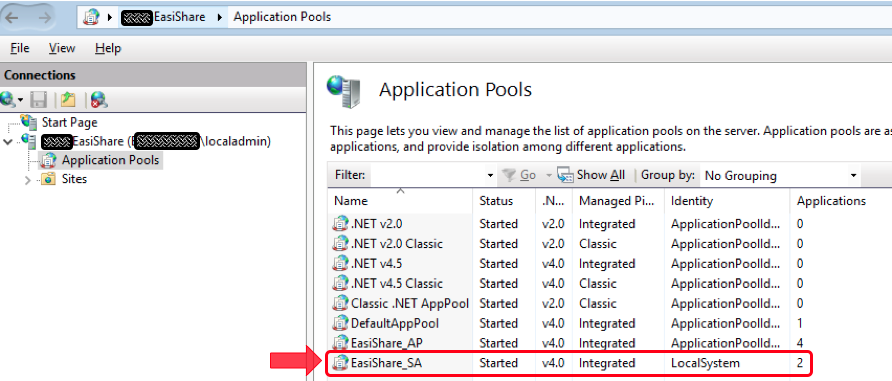
1. To change/reset EasiShare Service Account password on the Application pool account (EasiShare_SA):
- Select the Application Pool account (EasiShare_SA)
- Right-click on the application pool (EasiShare_SA) and select "Advanced Settings..."
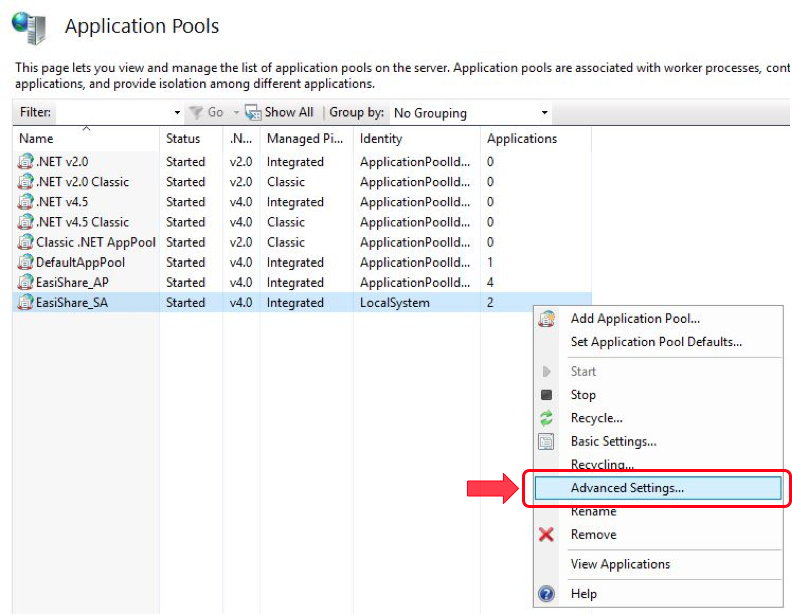
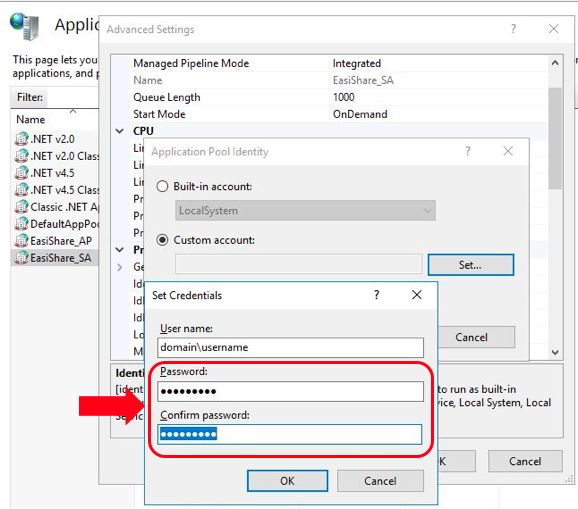
- Navigate to Process Model> Identity> Click on the "MoreOptions" icon (three horizontal dots)

- Under Custom account > Click Select > Enter the new password in the "Password" and "Confirm Password" fields
2. After updating the service account password in IIS:
- Navigate to open D:\Apps\EasiShare\ESWS\web.config file
- Update your new password in “connection password” under MyADMembershipProvider (as shown in the screenshot below)

- Navigate to open D:\Apps\EasiShare\CAWS\web.config file
- Update your new password in “connection password” under MyADMembershipProvider (as shown in the screenshot below)

Comments